 Ground Crew
Xcode Cloud, cleared for takeoff.
Ground Crew is an Xcode Cloud app for iPhone and iPad. Watch builds as they run, read the errors and test failures, start a new build and set up workflows, all from your phone, using your own App Store Connect API key.
Free, for good · For iPhone and iPad · Requires iOS 26
Everything you check on a laptop, now in your pocket.
Ground Crew talks to Apple's App Store Connect API directly, so it sees the same builds and workflows you see in Xcode.
Live builds
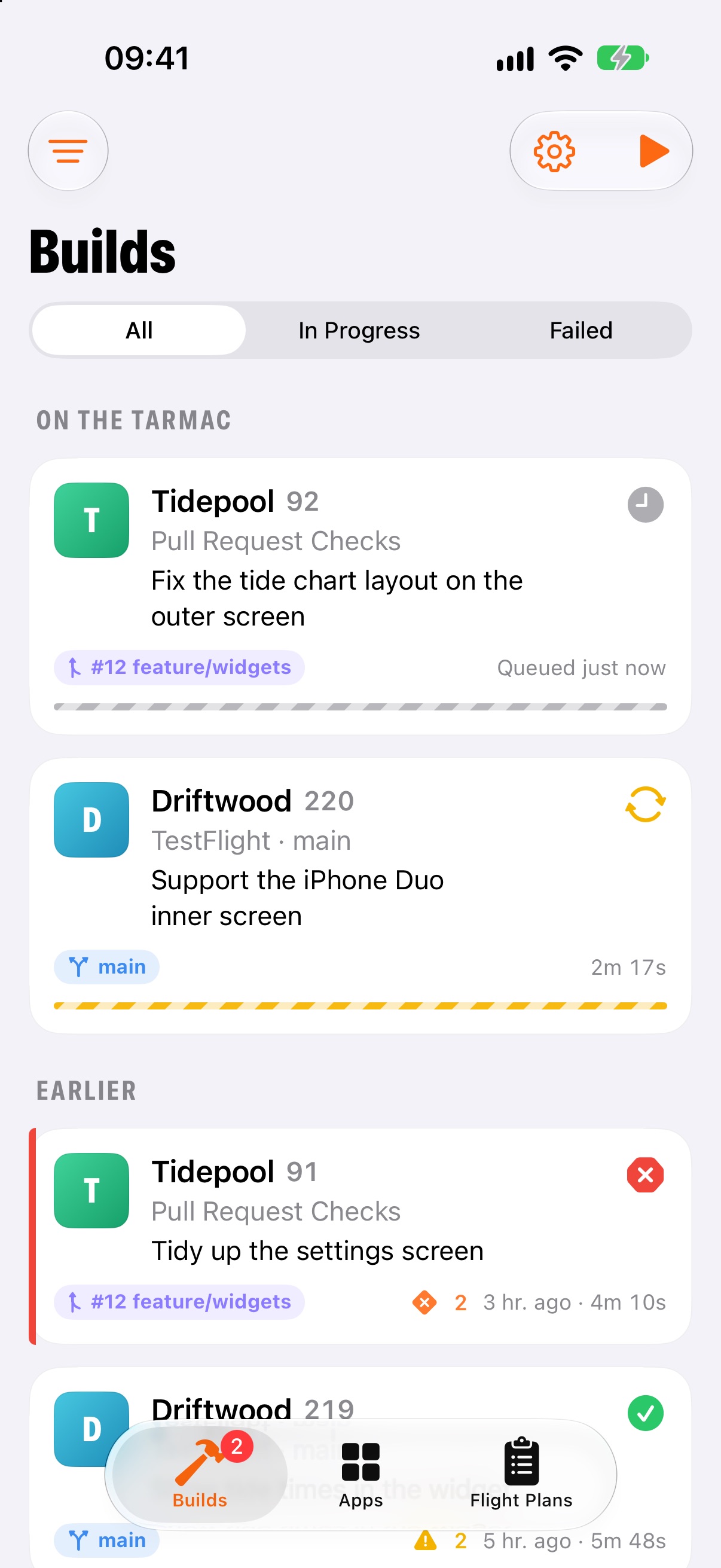
Recent Xcode Cloud builds for every app, with progress that refreshes every 15 seconds while a build runs.
Errors with file and line
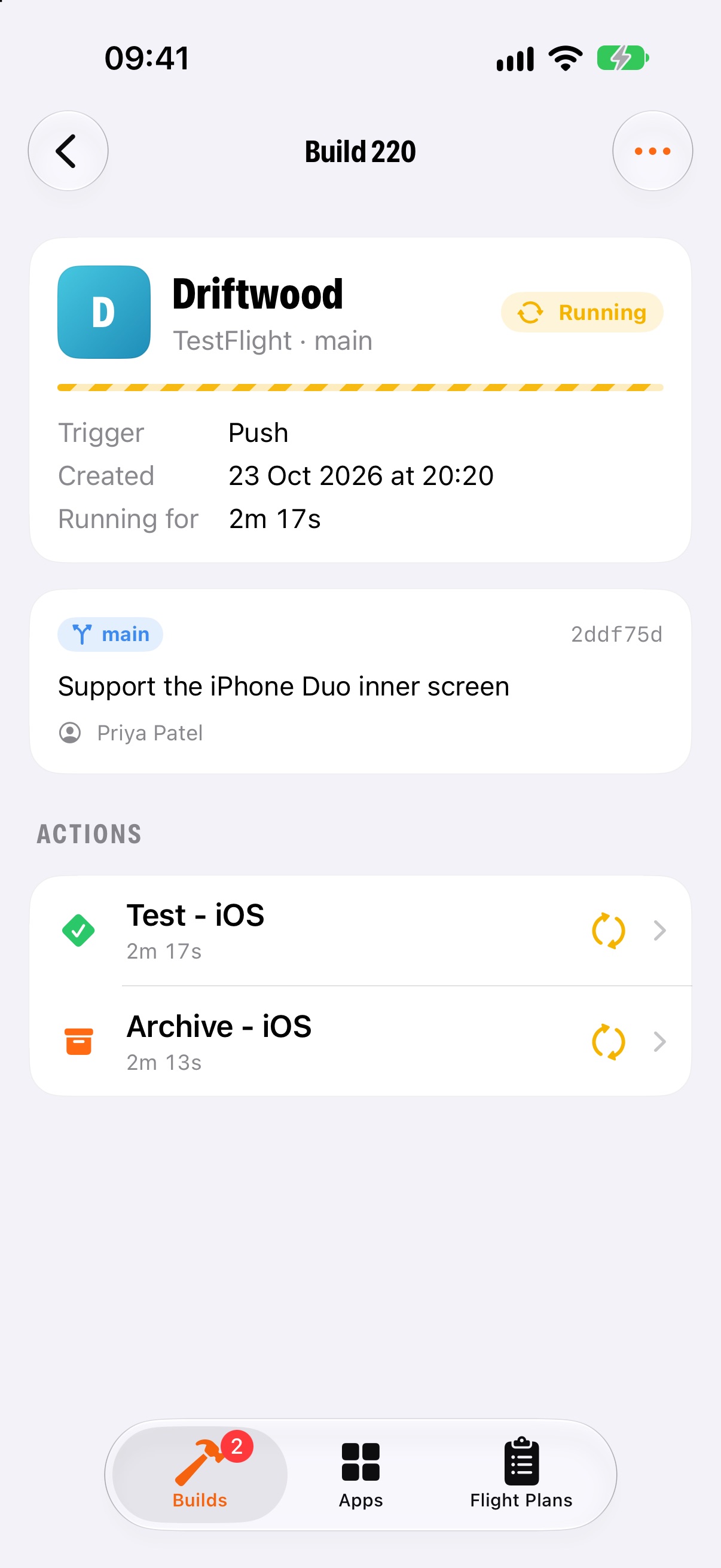
Each action's errors, warnings and analyser issues, with the file and line they point to. Long press to copy.
Test results
See which tests failed, on which device, and the message they failed with.
Logs and archives
Download a build's artifacts and open them in the share sheet, to save to Files or AirDrop to a Mac.
Start any build
Start a workflow on any branch, tag or pull request. Rebuild a commit, or do a clean rebuild when caching gets in the way.
Edit workflows
Create, edit, duplicate, switch off or delete workflows. Change start conditions, actions, Xcode and macOS versions, and test devices.
Flight Plans
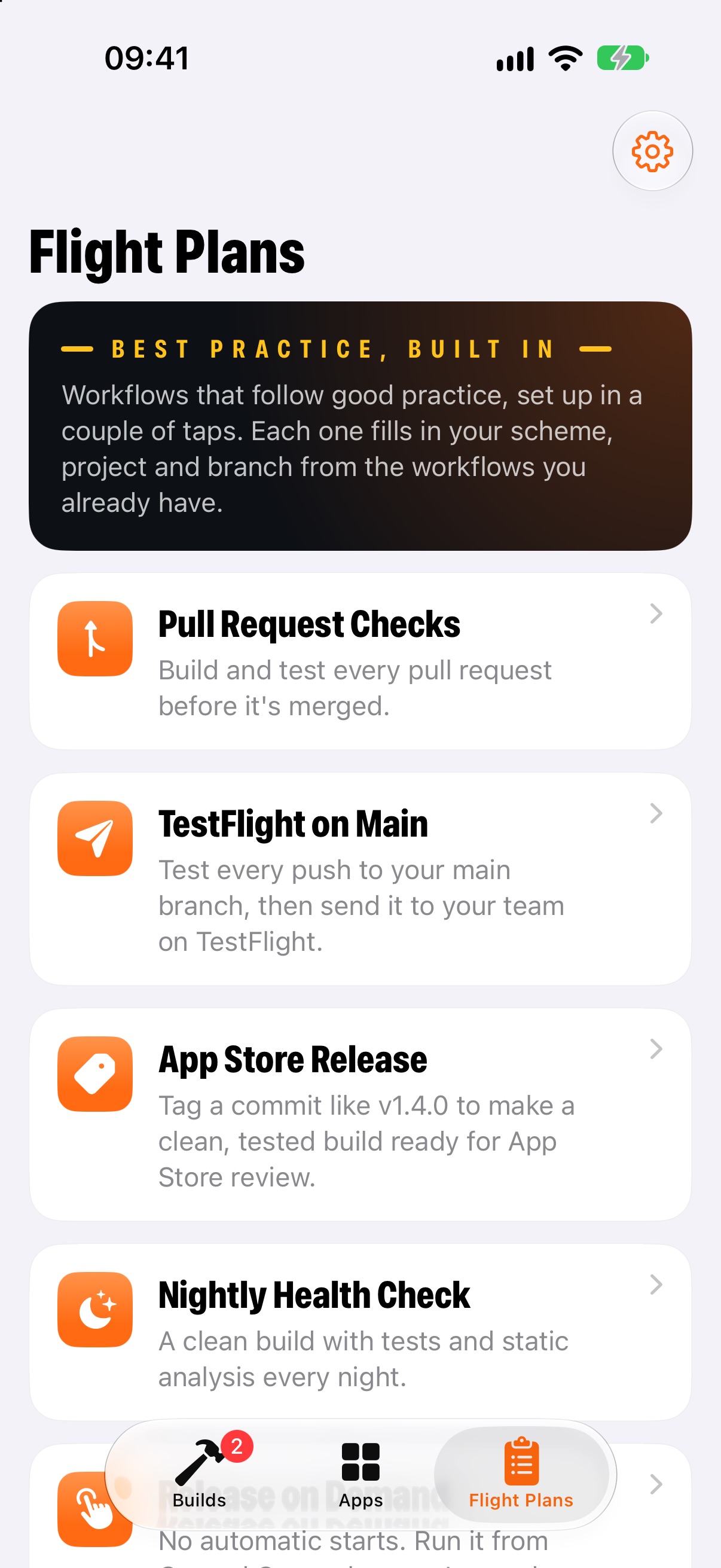
Six ready-made workflows that follow good practice. Pick one and Ground Crew fills in your scheme, project and branch.
Build notifications
Get told when a build finishes, or only when one fails. It works without a server, so your key stays on your phone.
Find out why it broke before you're back at your desk.
Every build for every app in one list, newest first. Tap one to see each action, how long it took and what went wrong.
- Running builds refresh by themselves until they finish
- Errors, warnings and test failures, grouped by action
- Jump to the commit or pull request that started it
Change a workflow without opening Xcode.
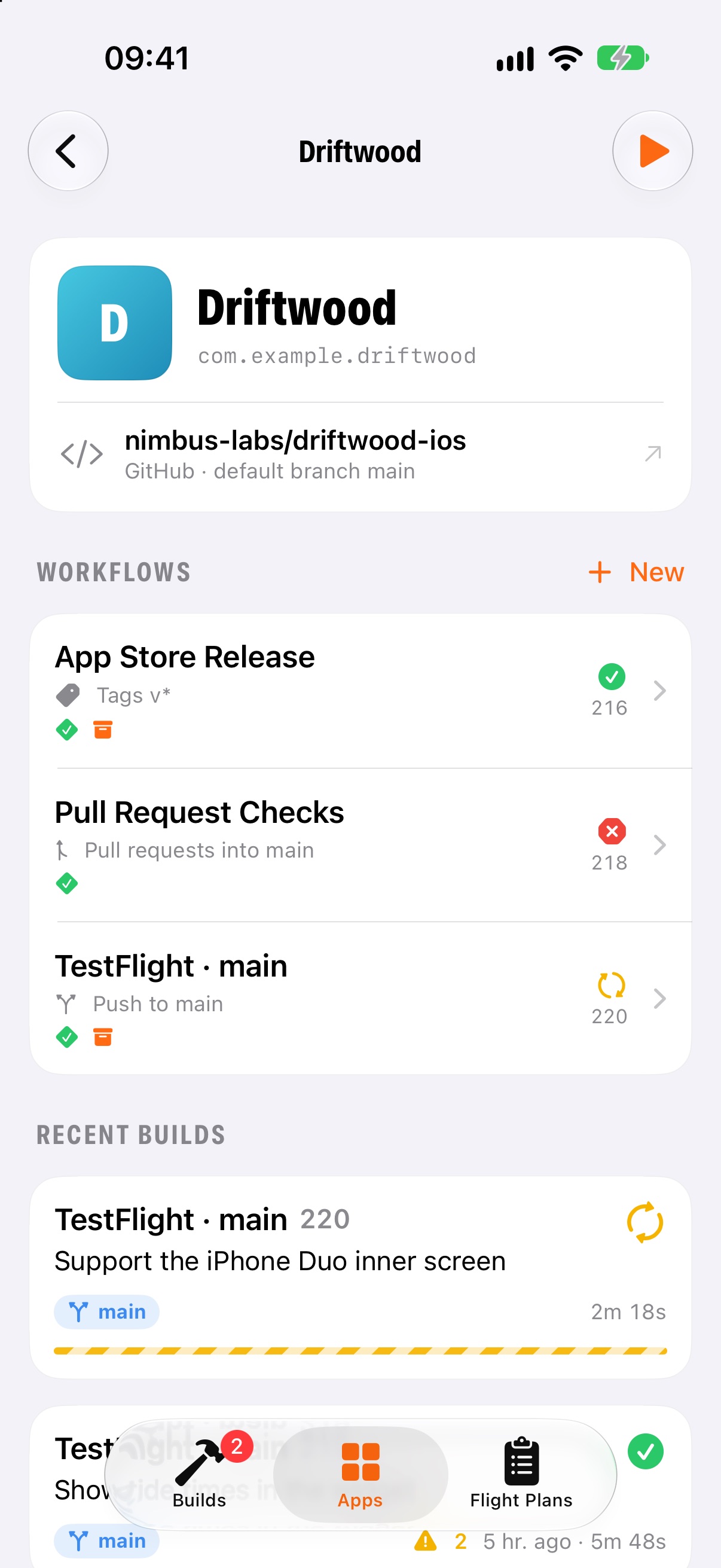
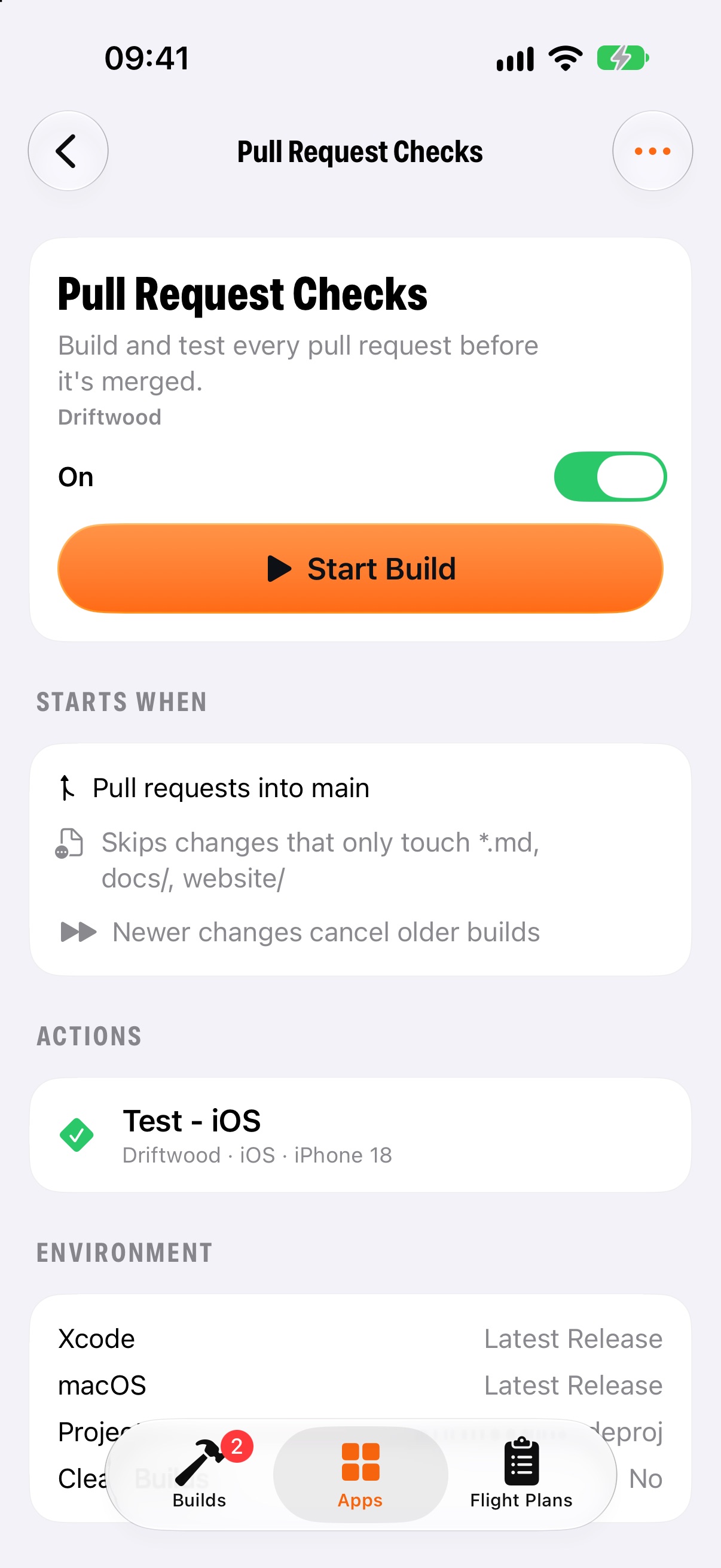
Each app's workflows, with what starts them and what they do. Edit one in place, or duplicate it as a starting point.
- Start on branch changes, pull requests, tags, a schedule or by hand
- Build, test, analyse and archive actions
- Archive for internal TestFlight only, or for TestFlight and the App Store
Good workflows, set up in a couple of taps.
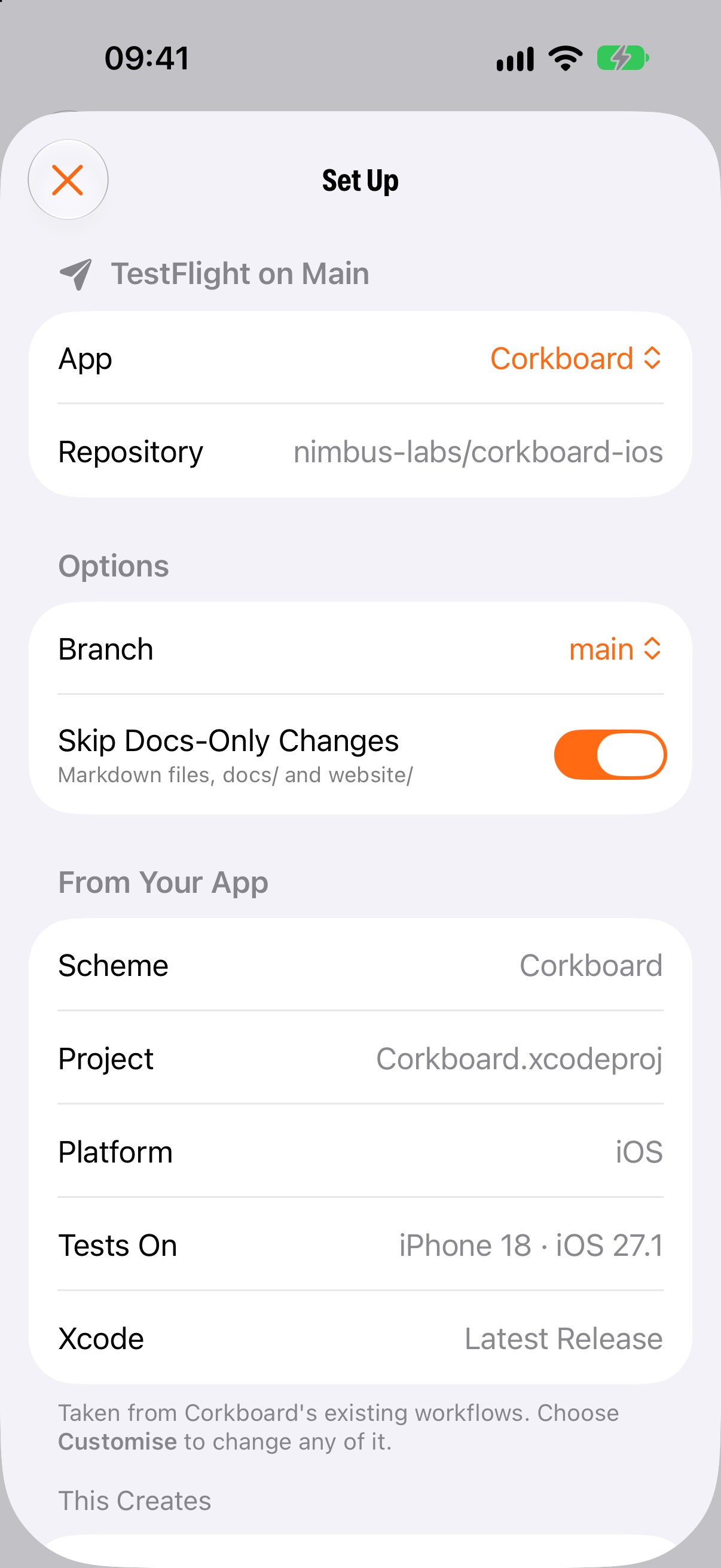
Not sure how to set up Xcode Cloud? Pick a Flight Plan. Ground Crew takes your scheme, project and branch from the workflows you already have, shows you what it will create, and lets you change anything first.
Dashed steps are optional. Branch, tag prefix and time are yours to change. Plans that start on pushes skip changes that only touch docs, and newer pushes cancel older builds.
One step still needs a Mac.
Ground Crew can only do what Apple's App Store Connect API allows. Most of Xcode Cloud is in there, but a few things aren't.
Turning on Xcode Cloud for a new app
The API can't switch on Xcode Cloud for an app or connect it to your repository. Do that once in Xcode: open your project and choose Product → Xcode Cloud → Create Workflow, then grant access to your repository.
It takes a couple of minutes per app. After that, Ground Crew can do the rest, including new workflows from Flight Plans. How to set up your first app
Set in Xcode or App Store Connect
These aren't in Apple's API, so Ground Crew leaves them as they are:
- Environment variables and secrets
- Sending builds to external TestFlight groups
- Post-action notifications, such as Slack or email
Your key talks to Apple. That's it.
No accounts, no servers of ours in the middle, no analytics. Ground Crew goes straight from your device to the App Store Connect API.
No subscription to check on your builds.
Ground Crew is free to download and every feature is included. It will stay that way.
Questions you might have.
Is it really free?
Yes, and it will stay free. There are no ads, subscriptions or in-app purchases, and every feature is included. Xcode Cloud's own compute hours are billed by Apple as usual.
How do I connect my account?
With an App Store Connect API key. In App Store Connect, go to Users and Access → Integrations → App Store Connect API, create a team key with App Manager access and download the .p8 file. Then add the issuer ID, key ID and file in Ground Crew. The support page walks through it step by step.
Does my key leave my phone?
No. The private key is stored in the Keychain on your device and is only used there, to sign requests to api.appstoreconnect.apple.com. There's no Ground Crew server, and nothing is sent anywhere else.
Which access should the key have?
App Manager, or Admin. That lets Ground Crew start builds and create and edit workflows. Keys with a lower role, such as Developer, may only be able to see builds. Some workflows are locked so only Admins can change them.
Why can't it set up Xcode Cloud for a brand new app?
Apple's API doesn't allow it. Turning on Xcode Cloud for an app, and giving it access to your repository, has to happen once in Xcode on a Mac. After that, Ground Crew can create and change workflows and start builds. Here's how to do the first setup.
How quickly do notifications arrive?
It depends on iOS. Ground Crew has no server, so it checks for finished builds when iOS gives it time in the background, usually somewhere between every 15 minutes and every hour. You can choose to hear about every finished build or only failures. With the app open, running builds refresh every 15 seconds.
Does it work on iPad?
Yes. Ground Crew runs on iPhone and iPad with iOS 26 or iPadOS 26 and later.
Can I try it without an API key?
Yes. Tap Explore the demo team on the welcome screen for a simulated team with apps, builds and workflows you can change freely. Nothing in the demo touches a real account.
Is this made by Apple?
No. Ground Crew is an independent app that uses Apple's public App Store Connect API. It isn't affiliated with or endorsed by Apple Inc.
 — Ground Crew —
Coming soon to the App Store.
Ground Crew is nearly ready. Check back here for the download link.